
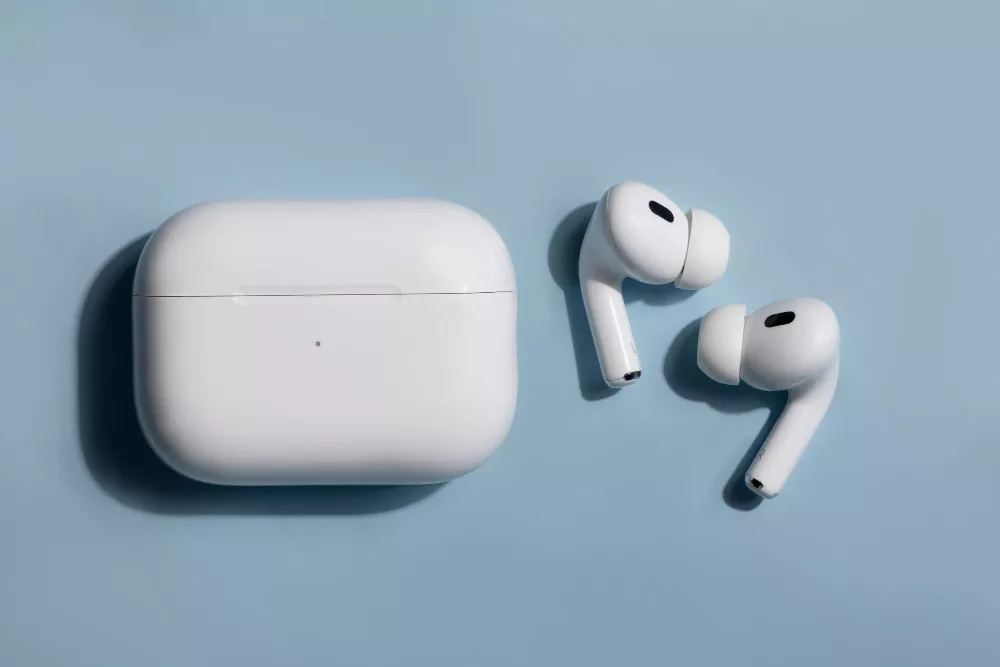
Do your AirPods sound a little quieter than they used to? Or does the charging case sometimes fail to charge them properly? Something as simple as dirt around the speaker mesh or charging contacts can sometimes be behind these problems. Daily use also exposes earbuds to earwax, sweat and moisture. A few good habits can help you keep them clean and avoid common problems.
Keep them clean and dry, remove dirt from the speaker mesh and charging contacts carefully, protect them from excessive heat and moisture, and use compatible charging accessories. If charging, sound or connectivity problems continue after basic cleaning, professional inspection may be necessary.
Your earbuds spend a lot of time in your ears, hands, pockets and bags. So, it doesn't take long for dust and earwax to collect on them.
The speaker mesh can get blocked over time and affect sound quality. Dirt around the charging contacts can cause charging trouble too. Sweat is another concern, especially if you wear your earbuds while exercising.
Regular AirPods maintenance doesn't have to be complicated. The main thing is to clean them carefully and avoid habits that could cause damage.
● Charging contacts: Having trouble charging the earbuds? Check the contact points for dirt. Clean them gently rather than scraping the surface.
Avoid running AirPods under water or using abrasive materials. Since cleaning instructions can differ between models, check the guidance for your particular pair before using a cleaning product. You don't need to wash your earbuds to keep them clean. In fact, putting them under running water can cause damage. Cleaning methods can also vary between models, so check the manufacturer's instructions before using any cleaning liquid.
● Speaker mesh: If the sound has become muffled, check the mesh first. Earwax and dust can build up there with regular use. A soft, dry brush can help clean it gently. Avoid using pins or needles.
● Ear tips: If your earbuds have removable silicone tips, take them off before cleaning. Follow the instructions for your model and let them dry fully before putting them back.
● Charging case: A soft, lint-free cloth is enough for the outside of the case. Keep water and cleaning liquids away from the charging port.
Battery care is another part of wireless earbuds maintenance.
Use compatible charging accessories and try not to expose the earbuds or case to excessive heat. A hot car or direct sunlight isn't a good place to leave your charging case.
Battery capacity also drops naturally as the battery gets older. That's normal. A sudden change in battery life or unusual heat during charging is different and shouldn't be ignored.
Some AirPods models also have Optimized Battery Charging, which can reduce the time they spend fully charged when the feature is available on that model.
Do you use your earbuds during workouts? Sweat can become a concern, but don't assume that a water-resistant pair is waterproof.
Water resistance varies between models and can decrease with normal wear. Even if your earbuds have some protection, they shouldn't be deliberately submerged.
Got your earbuds wet? Don't put them straight into the charging case. Give them time to dry first. It's also better to store them in their case rather than leaving them loose in a pocket or bag where they can pick up more dust.
Cleaning can solve some minor problems, but not every issue comes from dirt.
If one side stops working, check whether it is seated properly in the case and has enough charge. For connection problems, try reconnecting the earbuds to your device. These basic checks can sometimes solve the issue.
But what if the problem keeps coming back?
A charging issue that returns after cleaning is worth looking into. The same goes for unusual battery drain, repeated disconnections or a charging case that stops working. The Keypad's earbud repair service covers charging faults, sound problems, connectivity issues, water or sweat damage and broken charging pins.
Don't keep trying random fixes when basic care doesn't solve the issue. Physical damage, moisture exposure, ongoing charging problems or one earbud that consistently fails may need a closer inspection.
If you're searching for an Apple service centre in Guwahati, The Keypad provides repair support for Apple devices and handles AirPods along with other major earbud brands. Its technicians can diagnose charging, sound, connectivity and hardware-related problems to find out what is actually causing the issue.
Good AirPods care comes down to a few simple habits. Clean them gently and keep them away from unnecessary moisture and heat. Also, pay attention if something starts to feel different when you're using them. If a problem doesn't go away, getting it checked is safer than trying a repair yourself.